
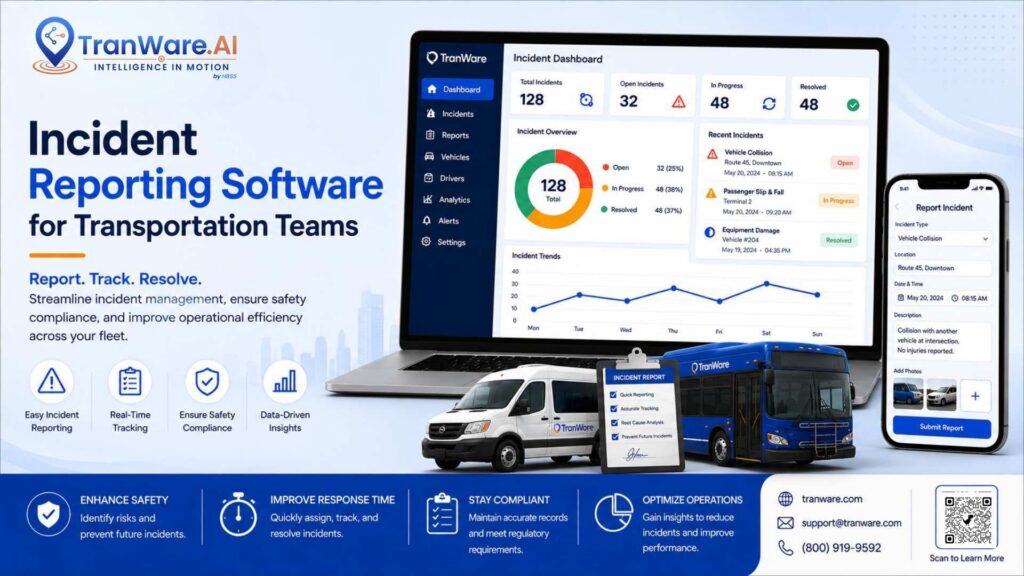
Transportation companies deal with accidents, passenger complaints, vehicle damage, driver issues, service disruptions, and internal events every day. Without a structured way to record and manage these incidents, important details can be lost across spreadsheets, emails, paper forms, and disconnected systems.
Incident Reporting Software gives transportation operators one centralized place to document incidents, assign responsibility, track resolutions, attach supporting files, and maintain an audit trail. This article explains how incident reporting technology works, what features to look for, and how solutions such as TranWare can support safer and more organized transportation operations.
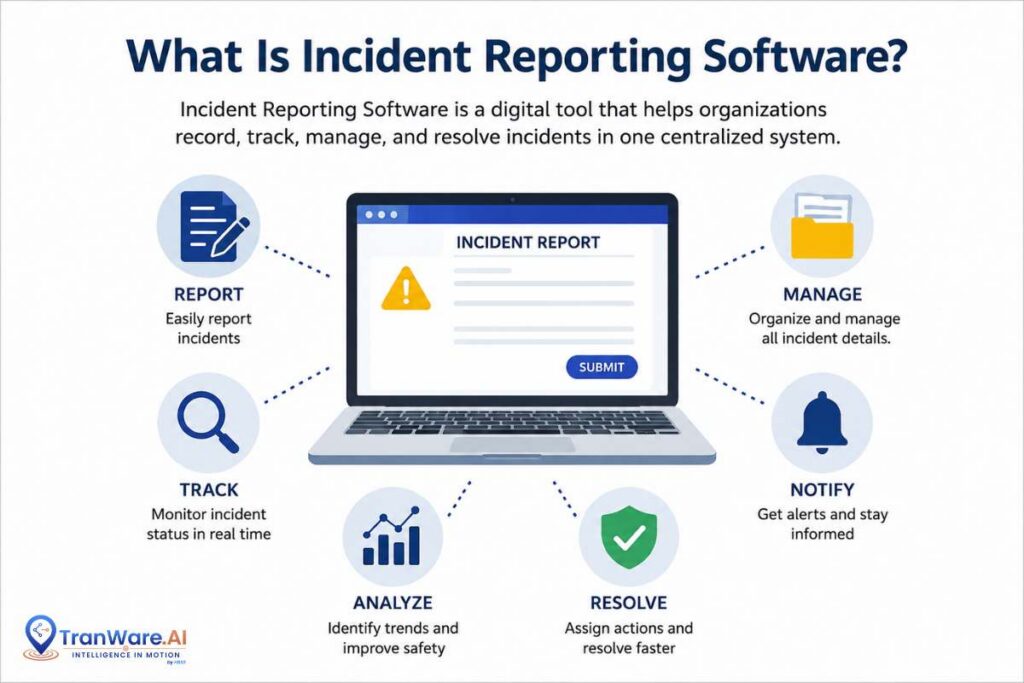
What Is Incident Reporting Software?
Incident Reporting Software replaces manual incident logs with a centralized digital workflow. Instead of storing accident information in separate spreadsheets or paper files, transportation teams can create a complete record and connect it to the people, vehicles, and trips involved.
For transportation operators, this creates a clearer history of what happened, who handled it, what actions were taken, and when the issue was resolved.
A modern Transportation Incident Management Software platform can support different incident types, including accidents, passenger complaints, employee events, vehicle-related problems, and internal management issues.
Why Incident Reporting Matters for Transportation Companies?
Transportation safety depends on accurate information. When an incident occurs, operations managers need facts quickly.
For example, consider an NEMT trip where a passenger reports a service issue. A complete incident record can connect the complaint to the specific trip, driver, vehicle, staff member, notes, documents, and final resolution.
This information becomes useful for:
- Reviewing what happened
- Identifying recurring problems
- Improving driver and fleet procedures
- Supporting internal investigations
- Tracking open and closed incidents
- Creating better management reports
- Maintaining organized records
- Improving accountability across teams
The importance of structured incident data is also reflected in federal transportation safety reporting. FMCSA maintains crash data covering fatal, injury, and property-damage-only crashes involving large trucks and buses.
Key Benefits of Incident Reporting Software
A well-designed Fleet Incident Reporting System can provide several operational benefits:
- Centralized records: Keep incident information in one system.
- Better accountability: Track actions, notes, and changes.
- Faster resolution: Monitor open incidents and resolution dates.
- Improved documentation: Store images, documents, and other files with incidents.
- Better visibility: Connect events to vehicles, drivers, trips, staff, or vendors.
- Custom classification: Create incident categories that match business needs.
- Stronger reporting: Analyze incident patterns and operational trends.
- Reduced manual work: Replace repetitive paper-based processes with digital workflows.
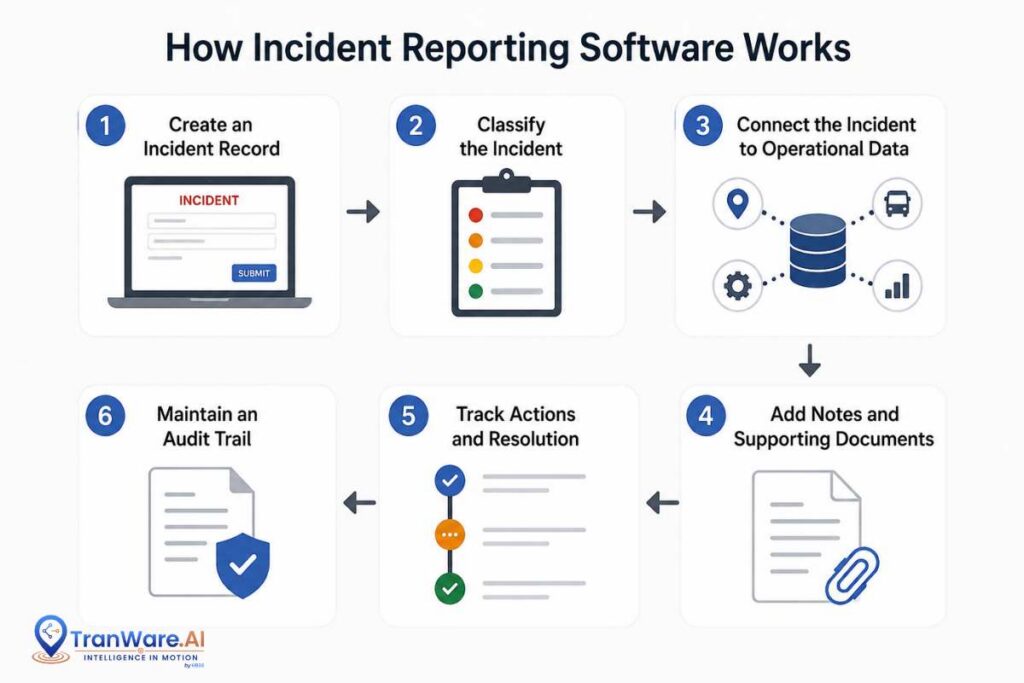
How Incident Reporting Software Works
1. Create an Incident Record
When an event occurs, authorized staff create an incident record. The record can contain the incident type, date, description, people involved, vehicle information, trip details, and other relevant data.
2. Classify the Incident
Different events require different responses. A system may classify incidents as:
- Accidents
- Complaints
- Internal events
- Driver-related incidents
- Vehicle-related incidents
- Customer service issues
TranWare’s Incident Module supports classifications such as complaints, accidents, and internal events, while also allowing organizations to create user-defined incident types.
3. Connect the Incident to Operational Data
Context is important when investigating an incident. An advanced system can associate an incident with:
- A specific vehicle
- Driver
- Passenger or contact
- Trip
- Fleet vendor
- Staff member
This eliminates the need to search across multiple systems to understand what happened. TranWare specifically supports these associations within its incident management workflow.
4. Add Notes and Supporting Documents
Incident investigation often requires more than a short description. Managers may need photographs, documents, statements, or follow-up notes.
TranWare’s Incident Module allows multiple notes and related files, including pictures and documents, to be attached to an incident record.
5. Track Actions and Resolution
Once an incident is recorded, teams need to know what happens next. Resolution tracking can show whether an incident is still open, under review, or completed.
Resolution dates also provide a simple way to monitor how quickly issues are being closed.
6. Maintain an Audit Trail
A strong Incident Tracking Software solution should preserve a history of important actions and changes.
TranWare automatically logs changes to incident fields and provides detailed note logging, creating an audit trail that can support management reviews and compliance processes.
Important Features to Look For
When comparing Transportation Safety Management Software, transportation companies should focus on practical features rather than simply choosing a system with the longest feature list.
Custom Incident Types
Every transportation business has different risks and workflows. Custom incident types make it easier to organize events according to operational requirements.
Trip and Vehicle Association
The ability to link an incident to a specific trip or vehicle creates valuable context for investigation and reporting.
Driver and Staff Tracking
Connecting incidents to drivers or staff members can help managers identify training needs and recurring operational issues.
File Attachments
Photos, documents, and supporting records should remain connected to the incident instead of being stored separately.
Status and Resolution Tracking
Managers need to know which incidents are open, which are being investigated, and which have been resolved.
Audit History
An audit trail provides greater visibility into changes and actions taken during the incident lifecycle.
Incident Reporting Software: Key Data Points
The table below shows the types of information a transportation incident system can organize.
| Data Area | Example Information | Operational Value |
| Incident Type | Accident, complaint, internal event | Easier classification |
| Vehicle | Vehicle ID or fleet unit | Connects event to fleet |
| Driver | Assigned driver | Supports accountability |
| Trip | Specific transportation trip | Provides trip context |
| Staff | Employee handling incident | Tracks responsibility |
| Notes | Investigation and follow-up | Creates a detailed history |
| Files | Photos and documents | Centralizes evidence |
| Status | Open, under review, resolved | Shows progress |
| Resolution Date | Date closed | Supports timely follow-up |
| Audit Trail | Recorded field changes | Improves traceability |
FMCSA’s current crash-statistics system also highlights why structured transportation data matters. Its national 2021–2025 data shows 161,122 large truck and bus crashes in FY 2024, including 3,977 fatal crashes; FY 2025 figures remain preliminary because reporting is still being completed.
These numbers do not mean every transportation company will experience the same level of risk, but they show why systematic safety and incident records are valuable for transportation organizations.
Incident Reporting Software vs. Manual Reporting
| Factor | Manual Reporting | Incident Reporting Software |
| Data Storage | Paper or spreadsheets | Centralized digital records |
| Incident Search | Often time-consuming | Faster and organized |
| File Management | Separate folders/emails | Attached to incident |
| Status Tracking | Manual updates | Digital status management |
| Audit History | Difficult to maintain | Automated tracking possible |
| Trip Association | Often manual | Direct association |
| Reporting | Spreadsheet-based | Structured reporting |
| Scalability | Becomes difficult with growth | Better suited to larger operations |
Manual reporting may work for a very small operation with few incidents. As fleet size, trips, drivers, and locations increase, however, disconnected records become harder to manage.
How to Choose the Right Incident Reporting Software
Step 1: Identify Your Current Problems
Review how your team currently handles accidents, complaints, and other incidents.
Ask:
- Where are records stored?
- Who enters incident information?
- How are documents collected?
- How are open incidents tracked?
- How are managers notified?
- How long does resolution take?
Step 2: Define Required Data
Determine which information should be captured for every incident. This might include vehicle, driver, trip, customer, staff member, incident category, notes, documents, and resolution status.
Step 3: Check Integration Requirements
If you already use NEMT dispatch software, fleet management tools, GPS systems, or other Transport management software, determine how incident reporting fits into the wider operational workflow.
Step 4: Evaluate Customization
Look for flexible incident categories and workflows. A paratransit operator may have different reporting requirements from an NEMT provider or public transit agency.
Step 5: Review Audit and Documentation Features
Ensure the platform can preserve important notes, changes, documents, and resolution details.
Step 6: Test Usability
A powerful system is only useful if employees can use it efficiently. Ask your team to test the interface with real-world scenarios before making a final decision.
Requirements and Selection Criteria
Before purchasing an Incident Reporting Software platform, consider:
- Cloud accessibility
- User permissions
- Incident classification
- Custom incident types
- Vehicle and driver associations
- Trip associations
- File attachments
- Notes and comments
- Resolution tracking
- Audit trails
- Reporting capabilities
- Integration with dispatch and fleet systems
- Scalability
- Data security
- Employee training requirements
Common Mistakes to Avoid
1. Relying on Spreadsheets for Everything
Spreadsheets can be useful for simple tracking but become difficult to manage as incident volume increases.
2. Recording Too Little Information
A vague description such as “vehicle issue” may not provide enough context for future investigation.
3. Separating Documents From Incidents
Photos, statements, and other files can become difficult to locate when they are stored in unrelated folders or email accounts.
4. Ignoring Resolution Tracking
Recording an incident without monitoring its resolution can leave important issues open for too long.
5. Choosing Software Without Considering Existing Systems
Incident management should work with scheduling, dispatch, fleet, and customer workflows instead of creating another isolated data source.
Expert Tips for Better Incident Management
Capture information as soon as possible. Fresh information is generally easier to verify than details collected days later.
Use consistent categories. Standard incident types make reporting and trend analysis easier.
Link incidents to trips and vehicles. Operational context can make investigations faster.
Track resolution dates. An open-incident list can help managers identify unresolved problems.
Review trends regularly. Look for repeated complaints, vehicle issues, driver incidents, or route-related problems.
Connect safety data with operations. Combining incident information with dispatch, fleet, and route data can provide a broader view of transportation performance.
How TranWare Supports Incident Management
TranWare Enterprise Cloud provides an Incident Module designed for transportation operations. The platform can manage complaints, accidents, and internal events while connecting incidents with vehicles, drivers, contacts, trips, fleet vendors, and staff.
The system also supports user-defined incident types, notes, related files, resolution dates, and audit trails. These capabilities help transportation organizations centralize incident information and improve accountability.
Because incident management is only one part of transportation operations, organizations can also evaluate how it fits alongside Route Optimization Software, dispatch, fleet maintenance, vehicle tracking, billing, and other fleet management solutions.
Conclusion
Incident Reporting Software is more than a digital replacement for paper forms. For transportation companies, it can become a central part of safety, accountability, documentation, and operational improvement.
A strong platform should make it easy to classify incidents, associate them with trips, vehicles, drivers, and staff, attach supporting files, record follow-up actions, track resolution dates, and maintain an audit trail.
For U.S. transportation providers managing NEMT, paratransit, public transit, or mixed fleets, TranWare offers an incident management solution designed around these operational needs. Its Enterprise Cloud Incident Module provides centralized incident tracking while supporting documentation, customizable classifications, resolution monitoring, and accountability.
If your organization is still relying on disconnected spreadsheets, paper records, or email chains, it may be time to consider a more structured approach. TranWare can help transportation teams bring incident reporting, dispatch, fleet operations, and other transportation workflows into a more connected management environment.
FAQs About Incident Reporting Software
1. What is Incident Reporting Software?
Incident Reporting Software is a digital platform used to record, organize, investigate, track, and resolve transportation incidents such as accidents, complaints, and internal events.
2. Why do transportation companies need incident reporting software?
It centralizes incident records, improves accountability, simplifies documentation, and helps managers monitor issues through resolution.
3. Can incident software track vehicle and driver incidents?
Yes. Many transportation-focused platforms can associate incidents with specific vehicles, drivers, trips, staff members, and other operational records.
4. Can I attach photos and documents to an incident?
Yes. TranWare’s Incident Module supports related files such as pictures and documents within incident records.
5. Is incident reporting useful for NEMT companies?
Yes. NEMT providers can use incident management to document passenger complaints, accidents, driver issues, vehicle events, and trip-specific problems.
6. What is a Fleet Incident Reporting System?
A Fleet Incident Reporting System is software designed to document and manage incidents involving fleet vehicles, drivers, trips, and operational activities.
7. How does incident tracking improve safety?
It creates a consistent record of events, actions, and resolutions. Managers can then identify recurring issues and use the information to improve processes and training.
8. Can incident reporting software work with transportation management software?
Yes. Connecting incident management with dispatch, routing, fleet, and other transportation systems can provide more complete operational context.
Interesting Reads:
Best Route Optimization Software for Transportation Companies